Debian13 默认安装后,作为服务器配置固定IP 和 DNS的流程如下:
一、 查看网卡名
ip a找到连接网络的网卡名(假设为 eth0)。同时通过 ip route 查看当前的网关 IP。
二、 修改网络配置文件
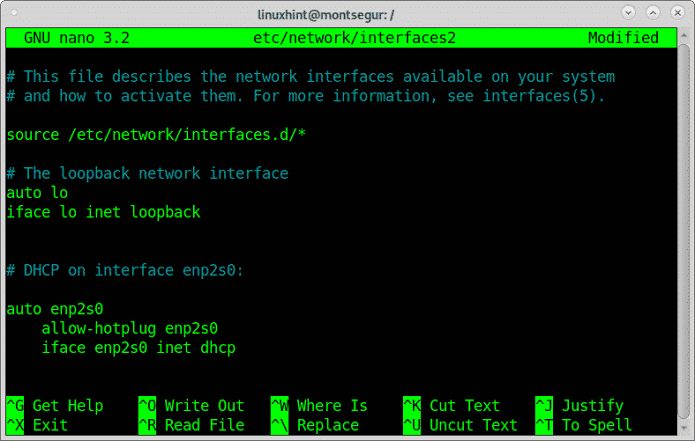
nano /etc/network/interfaces找到你的网卡配置段落(例如 allow-hotplug eth0 或 auto eth0),将其由 dhcp 改为静态配置:
auto eth0
iface eth0 inet static
    address 192.168.1.100/24
    gateway 192.168.1.1
    dns-nameservers 223.5.5.5 114.114.114.114
按 Ctrl+O 保存,Ctrl+X 退出。重启服务器。
shutdown -r now三、修改DNS配置
rm -f /etc/resolv.conf
echo -e "nameserver 223.5.5.5\nnameserver 114.114.114.114" | tee /etc/resolv.conf
四、验证
ping www.baidu.com五、修改主机名
hostnamectl set-hostname <your server name>